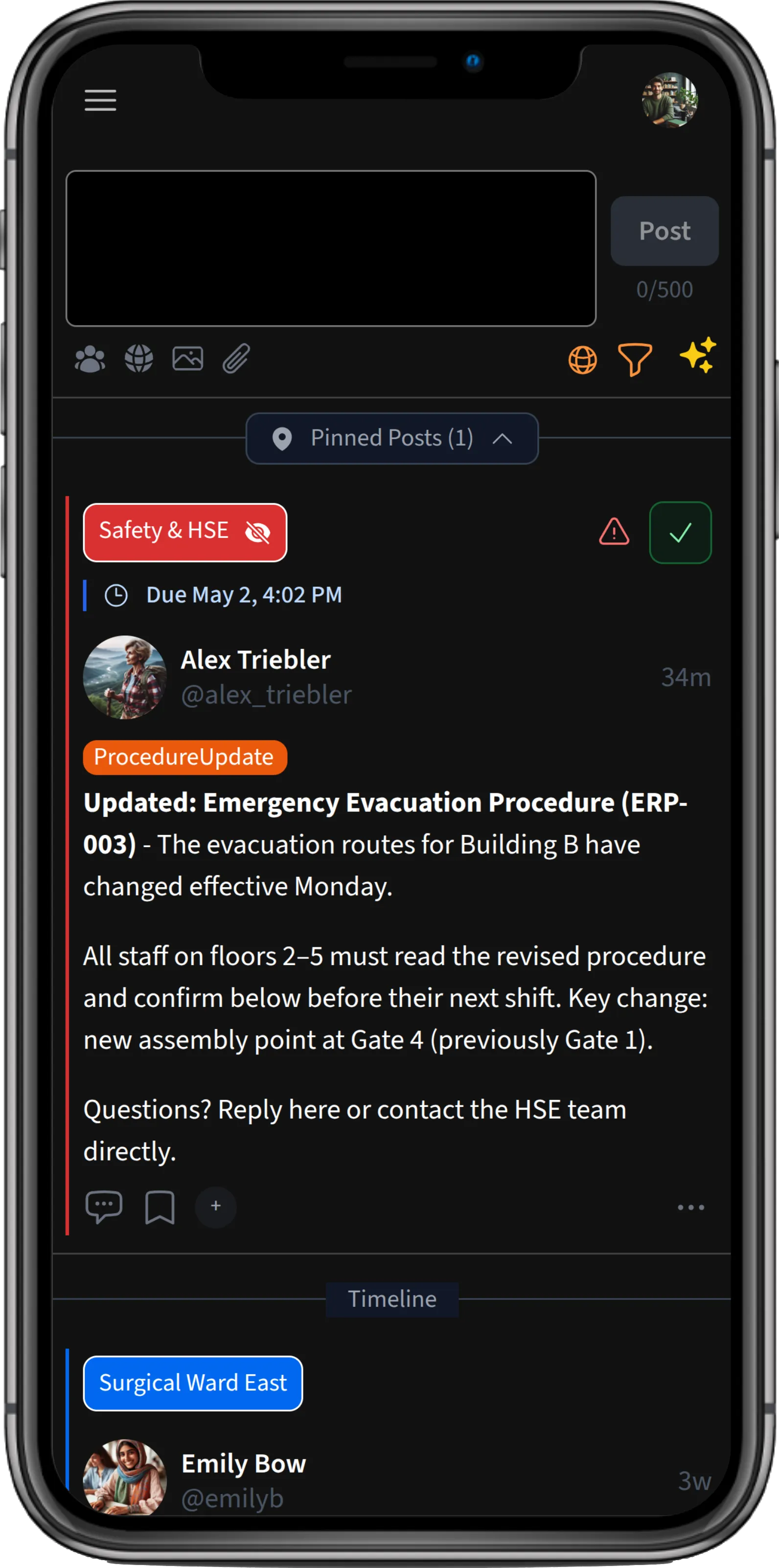
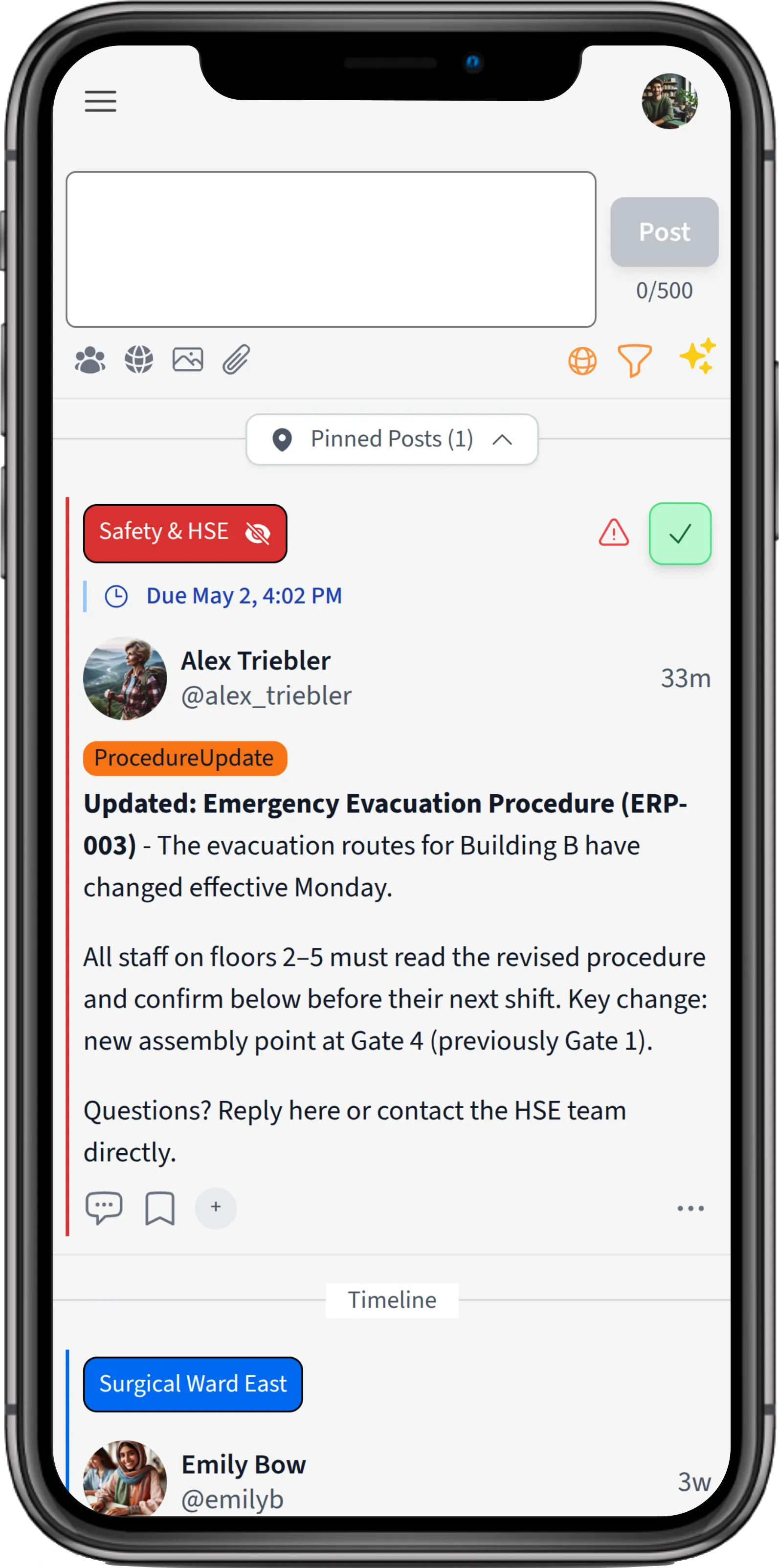
Rich posts
Write structured updates with formatting, images, file attachments, and links. Posts are deliberately concise: easy to read at a glance, not long-form documents.
Features
A focused layer for internal updates: targeted to the right people, organized in a calm personal timeline, with built-in tools to confirm that critical information was seen.
Chirm is not a replacement for email or chat. It complements them with a structured, searchable place for updates that need to stay visible: announcements, operational changes, compliance notices, onboarding material, and anything important enough to require acknowledgment. Each employee gets a personal timeline showing exactly what is relevant to them, not a broadcast feed for everyone. Below is a full overview of what the platform currently provides.
Core layer
Chirm is built around posts that persist, stay organized, and remain findable. Each employee gets a personal timeline showing only what is relevant to them, not a broadcast feed for everyone.
Rich posts
Write structured updates with formatting, images, file attachments, and links. Posts are deliberately concise: easy to read at a glance, not long-form documents.
Team members respond to a post with a quick reaction. No thread needed for simple acknowledgment or positive feedback.
Follow-up questions and additional context stay attached to the original post, not in a separate channel or room.
Tag colleagues directly in a post or reply with @mentions to bring their attention to something relevant without a separate message.
Send direct messages to colleagues for conversations that do not belong in a group timeline.
Posts do not disappear after a few days. They remain in the timeline and are searchable.
Structure
Groups and topics give your organization a clear structure for who sees what, without broadcasting everything to everyone. They also give teams a simple way to make their improvements and solutions visible across the organization, so others discover what already exists before building the same thing twice.
Groups
Organize your organization into teams, departments, locations, or projects. Groups can be public or private, each scoped to the right members.
Cross-cutting tags like #safety or #announcements that employees can follow across groups.
Every employee sees posts relevant to their groups and followed topics, and only those. No information overload.
Publish a post to exactly the groups that need to know. No noise for everyone else.
Employees can share improvements, progress, and achievements through shared or cross-functional groups so others can benefit sooner and stop duplicating work that already exists.
Knowledge reuse
Collections turn individual posts into structured sets that can be revisited, shared, and used as lightweight knowledge packages.
Custom collections
Create named collections with descriptions and add relevant posts to them, for example policies, recurring procedures, release notes, or onboarding material.
Give new employees access to a curated set of posts so they can catch up on the context, decisions, and procedures that matter for their role.
Share a collection with specific colleagues. Shared collections are read-only for recipients, so the owner keeps control over the curated material.
Open a collection as its own focused timeline, with search and filters for the posts inside it.
Keep personal saved posts and manage them alongside other collections, without changing the original post or its audience.
Curate a team's most useful improvements, tools, or workflows into a collection and share it with other teams. They get a head start instead of rebuilding what already exists.
Collections respect existing visibility rules. People only see collection posts they are already allowed to view.
Accountability
For updates that must not be missed, Chirm provides structured acknowledgment tracking from publication to a complete audit trail.
Requiring acknowledgment
Mark a post so that recipients must explicitly confirm they have read and understood it. A single tap or click.
Optionally flag a post as critical for additional urgency and visibility in the timeline.
See who has confirmed and who is still pending, per post and per person, in real time.
Send targeted follow-up reminders to anyone who has not yet acknowledged, without leaving Chirm.
Every acknowledgment is stored with a timestamp and attribution, ready for audits, compliance reviews, and inspections.
Findability
Posts do not expire, and targeted notifications mean you never miss what matters, without having to scroll through everything.
Notifications
Get notified when posts relevant to you are published, scoped to your groups and topics rather than a flood of alerts from every activity.
Find any post, decision, or update by keyword, across all groups you have access to.
Filter your timeline by group, topic, or date to focus on what is relevant right now.
Get an optional AI-generated summary of recent activity in a group or across topics so you can catch up in less time.
A single, readable feed organized by groups and topics, not fragmented across dozens of rooms.
Bring relevant updates from external sources into Chirm and filter the timeline by external content or by selected connectors.
Trust
Chirm is built with GDPR compliance, EEA hosting, and organizational control in mind, with enterprise access management included.
Single sign-on (SSO)
Employees log in securely with their existing identity provider. Microsoft Entra ID (Azure AD) integration is supported.
Chirm works on desktop and mobile browsers as a Progressive Web App. No installation required on any device.
Chirm runs on Hetzner infrastructure in Finland. Your data stays within the European Economic Area.
The platform does not use tracking cookies. Only technically necessary storage is used: language and theme preferences.
Employees only see posts from groups they belong to. Visibility is always explicit, never accidental.
Administrators control who can join which groups, who can post, and what topics are available.
Features
If you would like to evaluate Chirm for your organization, we would be happy to talk with you about a pilot.